Roads verified by people, trips composed by AI.

Say where you're starting and how much time you have. RoamRise composes a trip that roughly fits that time out of verified roads and the roads you recorded yourself: where to drive, where to stop, where to walk, and when you'll be back.

For drivers, motorcyclists, cyclists and walkers. Record a ride in the app and you have a road your planner can use.

Route preview

Hairpins, coffee and a lookout tower

Bends over Červenohorské sedlo, coffee at the top and a walk to Zlatý chlum. Two winding sections of one road, one hike.

3 h 44 min · 68.3 km

Timetable: Hairpins, coffee and a lookout tower
TimekmRoute
09:000Jeseníkdeparture
09:3528Kouty → Červenohorské sedloverified road, 10.5 km
09:5139Coffee at Hotel Červenohorské sedlocafé, 25 min stop
10:1639Červenohorské sedlo → Běláverified road, 8.8 km
10:2947Transfer20 min, your navigation app picks the way
10:4959Křížový vrch → Zlatý chlum lookout toweron foot, 4.0 km, out and back, 210 m of climbing
12:3463Way back5 km, your navigation app picks the way
12:4468Jeseníkarrival

Illustrative plan · approximate times and transfers

Route preview

Jeseníky

68.3 km
Hairpins over the pass, coffee and Zlatý chlumTwo green sections of the road from Kouty via Červenohorské sedlo to Bělá. Coffee at the pass, a transfer to Křížový vrch and a hike to Zlatý chlum. Transfers and the walking connection are schematic. JESENÍKY 12 JeseníkSTART AND RETURN Kouty Bělá ČervenohorskésedloCoffee at the pass Křížový vrch 3 Zlatý chlum 3 · Walk to the lookout tower4 km out and back · +210 m
  • Winding road
  • Transfer
  • Walking connection
© OpenStreetMap

Where will you go next?

Choose a starting point and a time budget. Plan your own trip in the app from verified roads and the ones you recorded, with stops along the way.

Plan a trip in the app
The Grossglockner High Alpine Road below snow-patched mountains and a small lake.

The roads we love are far from home. We built RoamRise to help you plan a driving trip, from the first bend through the stops to the drive home.

The Grossglockner High Alpine Road, Austria.

  1. A narrow country road between a hedge and a meadow, a lone spruce ahead, on a clear day.
    Getting there Czech Republic
  2. The Edelweißspitze car park sign (2571 m) on the Grossglockner road, snowy peaks behind.
    A stop Edelweißspitze, Austria
  3. The hairpins of the Stelvio Pass road climb a green valley below rocky peaks.
    A second road Stelvio Pass, Italy
  4. A quiet upland road at sunset, a meadow beside it and an orange sky over the horizon.
    The way back Czech Republic

How a trip comes together

An AI decision model profiles each catalogue road once, in advance. A road only enters the catalogue once a person has checked it. Then an optimiser composes your day from roads a person has checked and from the roads you recorded yourself.

People
Check every road before it enters the catalogue: the line, the description and the tags. Anyone who drives a road can confirm it's worth it. Anyone who records a ride adds a road to their own planner.
AI
A decision model profiles every catalogue road once, in advance: how demanding, how scenic, who it suits. AI drafts each road's description from the road's facts only, and a person checks it before publication. The AI learns nothing about you, where you start or your own roads.
Optimiser
Composes a day out of verified roads, stops and walks that roughly fits your time. It takes the times from stored road data and never pads a trip with extra driving.
Navigation
Open the finished trip in your favourite app: Mapy.com, Google Maps, Apple Maps or Waze. RoamRise itself doesn't navigate.

Your roads feed your trips.

Every ride you record becomes your road. The planner uses it the next time you ask for a trip, whether you keep it to yourself or share it.

Record a ride
Start recording, drive the road you love, save it. Car and motorbike sections of at least 5 km become your roads.
Keep it or publish it
A private road stays on your account and only your planner uses it. A published road goes to a person who checks the line, the description and the tags before it enters the catalogue.
Plan with it
The planner composes your day from the catalogue and your own roads. The trip's receipt shows which roads are yours.

Shared trip links never contain your private roads or the place you start from.

By car, motorbike, bike or on foot.

We love cars and motorbikes. Roads belong to cyclists too, and many of us ride bikes. RoamRise is for everyone who enjoys the journey. Add a bike ride, a walk or a hike to a lookout tower to your day.

Bring your bike along.

Enjoy the bends in your car first. Unload your bike at the car park, ride downhill and follow a loop back to the car. After coffee, drive home on more good roads. Another day, pack your walking shoes instead.

A cyclist on a field track near Dolní Benešov, beside a field of poppies.
  1. Drive the bends
  2. Ride downhill
  3. Stop for coffee
  4. Drive more bends

Native on iPhone and on Android.

Plan a trip, discover more roads and record your ride. Save the places worth stopping at along the way. RoamRise also supports Apple Watch.

The iPhone and Android apps, with the trip planner inside.

iPhone

A recording of the iPhone app's development build with test data.

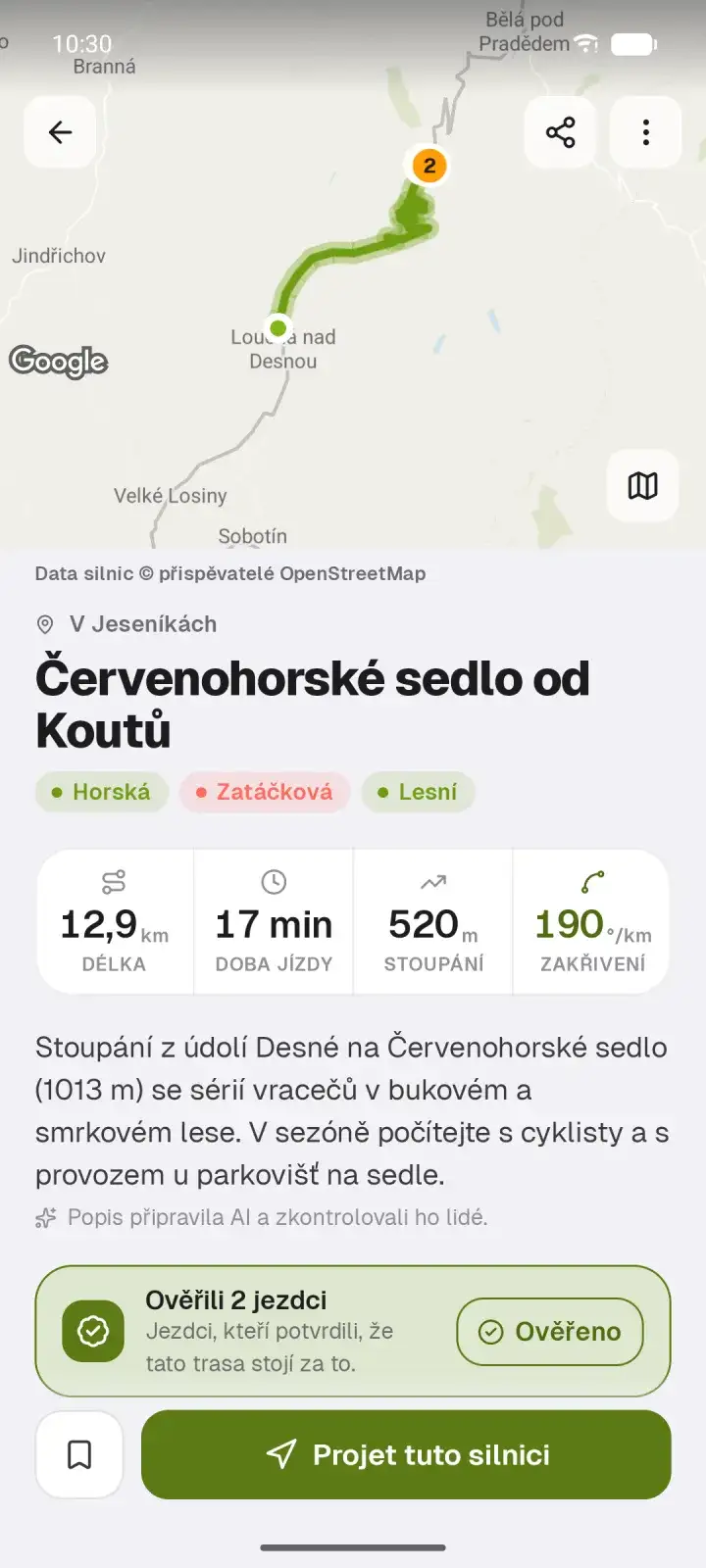
  • Screenshot of the RoamRise app on Android: the road Červenohorské sedlo od Koutů with its line on the map, tags, stats and a verification by two riders.
    Android Road detail
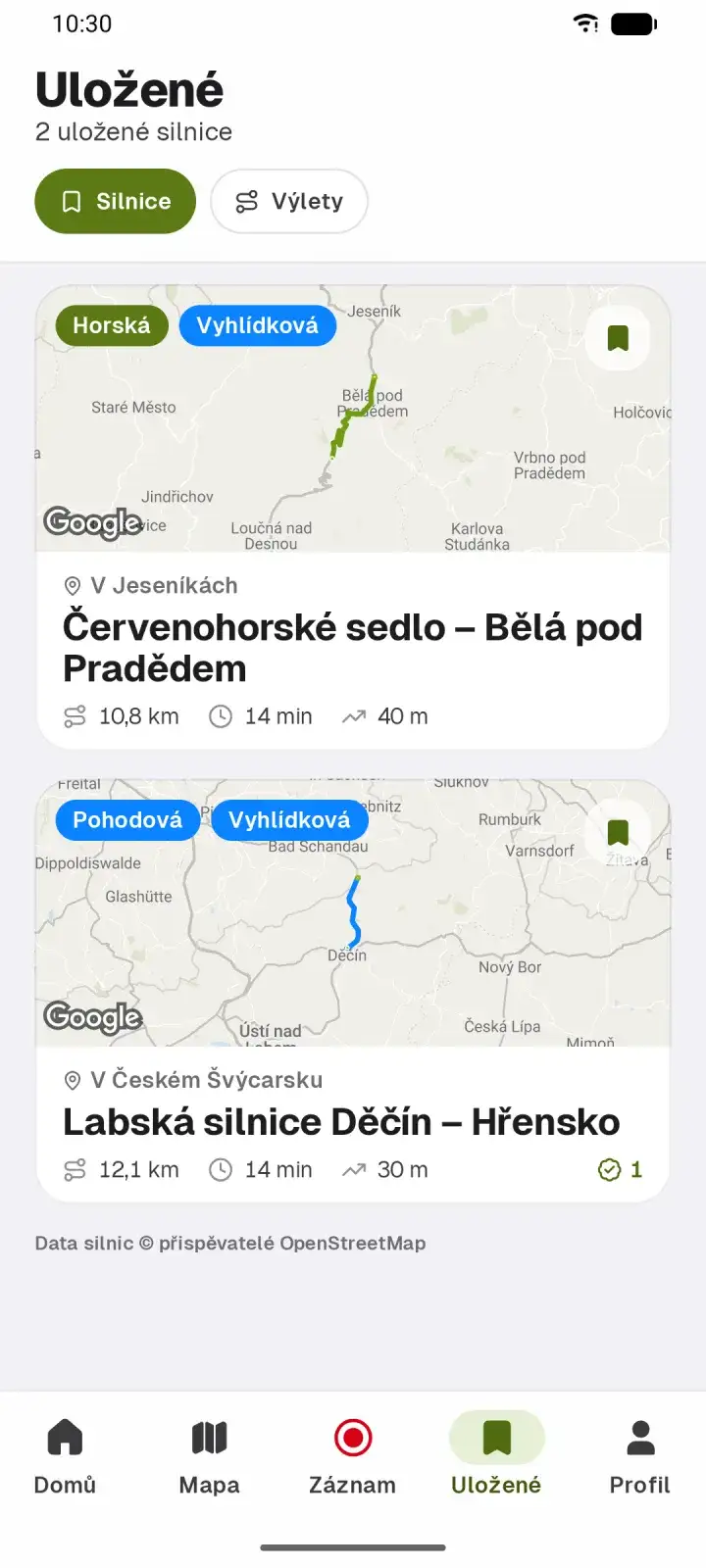
  • Screenshot of the RoamRise app on Android: a list of saved roads with their lines on the map.
    Android Saved roads
Your roads in the planner
Save a ride privately or publish it. Either way your planner uses it from the next trip on.
Car, motorbike, bike, on foot
Switch between them within one recording. Park, walk up to the viewpoint, drive on.
Places worth stopping at
A viewpoint, a café, the turn-off to the quarry. Note and photo on the spot.
Apple Watch
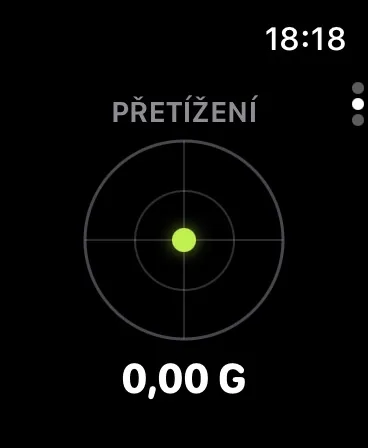
Time, distance and a live G dial on your wrist. Pause or stop recording from your watch.
Cornering forces
After the ride you'll see where the road bends hardest.

Apple Watch

RoamRise on Apple Watch too.

Keep your recording on your wrist. See time, distance and live G forces. Pause or stop your drive, bike ride or walk from your watch.

RoamRise on Apple Watch: live G dial.
Live G forces
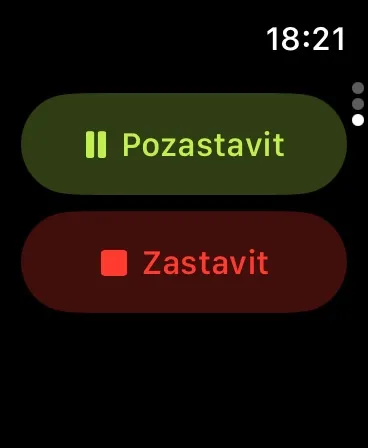
RoamRise on Apple Watch: Pause and Stop buttons.
Recording controls

Where we want to go in 2027.

We want to work towards these goals during the year. The dates are our plan.

Our goal for 2027Roads across Europe
We want to expand our database of good roads across Europe, so RoamRise can join you abroad too.
November 2027Charging in AI trip planning
If you drive an electric car or ride an electric motorbike, we want AI trip planning to include charging stations and charging stops.
By the end of 2027CarPlay and Android Auto
We want to support both systems, bringing RoamRise to your car’s display.

Your next trip starts in the app.

The website previews only a small part of a route. Discover more in RoamRise and plan a trip around where you start and how much time you have.

We'll add the download links once the stores make the app available.

Questions

When can I download the app?

You'll find App Store and Google Play links on this page once the stores make the app available.

Does the planner use my own roads?

Yes. Every ride you record becomes your road: only your planner sees a private one; a person checks a published one, and then everyone's planner can use it. The planner starts from the roads nearest to you, yours included.

What happens when I publish a ride?

The ride appears in Discover for other riders, and we propose its car and motorbike sections to the road catalogue. A person checks each one. You agree to this once, in the app, and can withdraw it in Settings at any time.

What does the AI do?

An AI decision model profiles every catalogue road once, in advance: how demanding, how scenic, who it suits. AI drafts road descriptions from the road's facts only, and a person checks each one before publication. An optimiser then composes the trip from roads a person has checked and from your own. The AI doesn't make up routes or times, never profiles your own roads, and gets nothing about you when it profiles roads.

Why is a trip sometimes shorter than the time I have?

The planner only uses verified roads and your own. If there are few of them nearby so far, it returns a shorter trip and says so instead of padding it with extra driving. With every newly verified or recorded road, the trips get longer and richer.

Is RoamRise a navigation app?

No. RoamRise picks the roads and the stops. Your favourite navigation app does the guiding: Mapy.com, Google Maps, Apple Maps or Waze.

Who picks the roads?

We and the riders do. A person checks every road before publication: the line, the description and the tags. We propose roads from rides recorded in the app to the catalogue only with their author's consent; without it they stay the author's private roads.

What happens to my location?

The app records your location only when you start recording a ride yourself. Others see only the rides you choose to publish. Your private roads stay on your account, and a trip you share by link contains neither them nor the place you start from. The privacy policy has the details. Privacy policy

How do I delete my account?

The steps and a request form are on the Delete your account page. Delete your account